Anúncios
The Lloyds Bank Credit Builder card is a strategic financial tool designed for those looking to improve their credit score while enjoying the security of a major high-street bank.
Step-by-Step Tutorial: How to Apply for a Lloyds Credit Builder Card
Follow these simple steps to start your digital application for the Lloyds Credit Builder card:
1. Access the Lloyds Bank Website
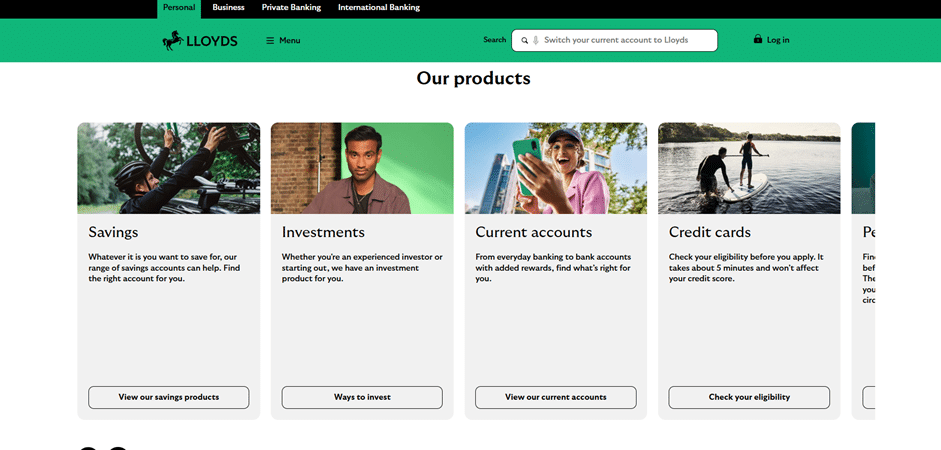
- Visit the official Lloyds Bank homepage at lloydsbank.com.
- Scroll down to the “Our products” section and select the “Credit cards” button.
2. Locate Credit Builder Cards
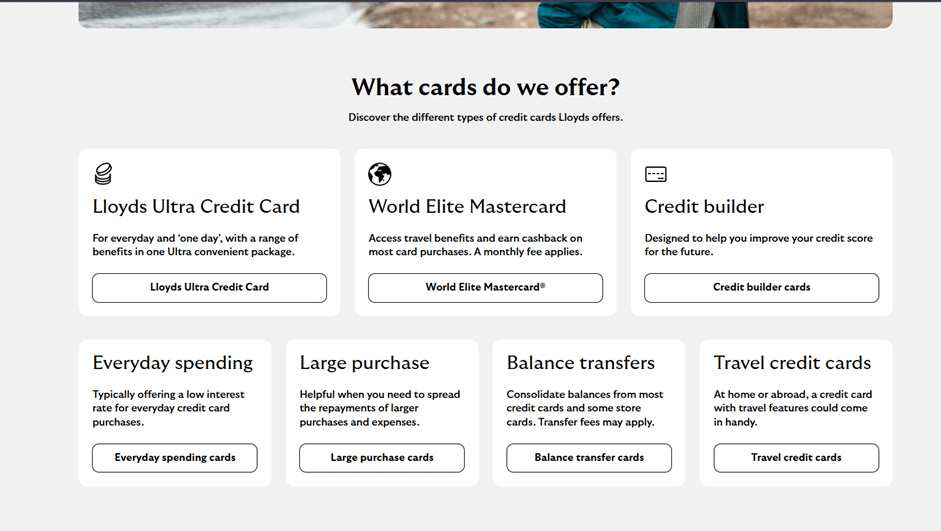
- Scroll down to see various card options, such as the World Elite Mastercard or the Lloyds Ultra.
- Click on the “Credit builder cards” category.
- Select the Lloyds Builder option (typically listed as the third card choice).
3. Check Your Eligibility
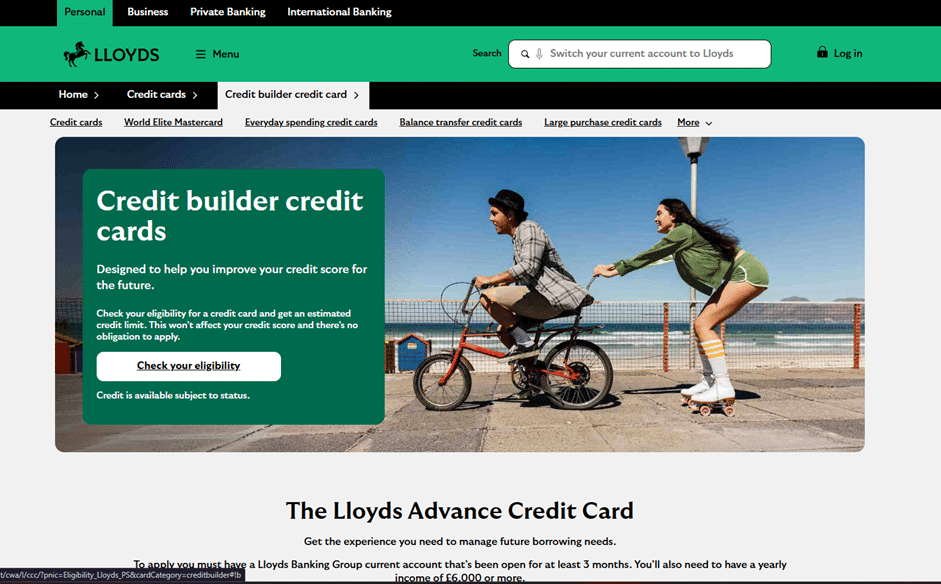
- On the Credit Builder information page, you will find details on how the card helps improve your credit score.
- Click the white “Check your eligibility” button to start.
- Important: This initial check takes about 5 minutes and will not affect your credit score.
4. Complete the Personal Information Form
- You will be redirected to a secure application page.
- Fill in the required “About You” details, including:
- Title (Mr, Mrs, Miss, etc.).
- Full name as shown on your passport or ID.
- Date of birth.
- Gender and Marital status.
- Citizenship status.
- Once filled, click “Continue” to proceed with the instructions.
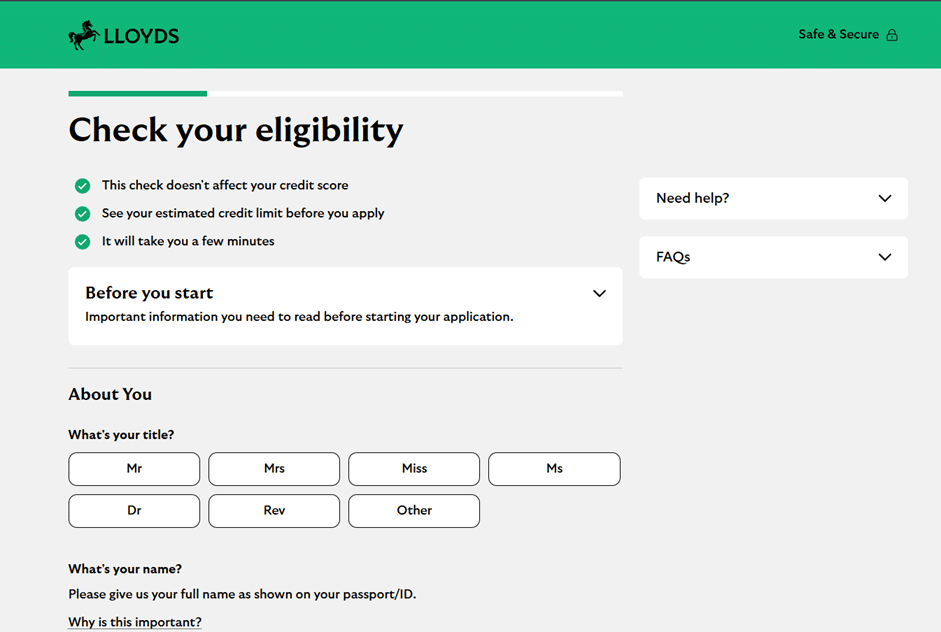
Note for Applicants: To apply for certain Lloyds cards, you may need to have a Lloyds Banking Group current account open for at least 3 months and a minimum yearly income of £6,000.
Anúncios
Everything you need to know to apply for the card
Applying for a credit card can feel daunting, but the process for the Lloyds Credit Builder card is designed to be transparent and straightforward. This guide breaks down the digital journey and the criteria you must meet to increase your chances of approval.
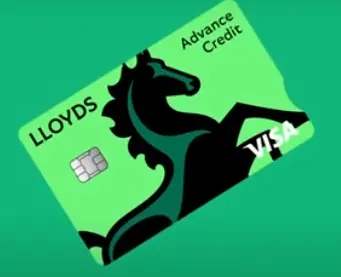
Lloyds Credit Builder
Accessing the Application via Site or App
Lloyds Bank offers two primary digital routes to start your application:
- Official Website: You can apply directly through the Lloyds Bank website by navigating to the “Credit Cards” section and selecting “Credit Builder”.
- Mobile Banking App: If you are an existing customer, the fastest way is through the Lloyds Bank app. The app often pre-fills your details, making the process significantly quicker.
Basic Eligibility and Requirements
Before you apply, ensure you meet the mandatory criteria. To be eligible, you must:
- Be a UK resident aged 18 or over.
- Have a regular income.
- Not be currently declared bankrupt or have any pending IVA or CCJs.
- Not have been declined a Lloyds Bank credit card in the last 30 days.
The Approval Process: Check Without Risk
One of the most valuable features of the Lloyds application process is the “One Check” eligibility tool. Before you submit a formal application, you can use this tool to see your likelihood of being accepted. This is a “soft search” that does not affect your credit score. If the result is positive, you can proceed to the full application, which will involve a hard credit check.
Approval and Delivery
Once your application is approved, Lloyds Bank will determine your credit limit and interest rate based on your individual circumstances. Your new Credit Builder card and PIN will typically arrive at your registered UK address within 5 to 7 working days. You can then activate the card via the app or online banking to start building your credit history through responsible use.
Overview of Lloyds Bank
Lloyds Bank is one of the “Big Four” clearing banks in the United Kingdom, boasting a heritage that spans over 250 years. Known for its iconic black horse logo, it is a pillar of the UK’s financial system, offering high levels of security and reliability.
The bank is regulated by the Financial Conduct Authority (FCA) and the Prudential Regulation Authority (PRA), ensuring that customers are protected under UK law. Lloyds is particularly renowned for its commitment to helping customers manage their finances better, providing robust digital tools and a vast network of branches across England and Wales. Choosing a Credit Builder card from Lloyds means partnering with an institution that values long-term financial health and credit education.

Lloyds
FAQ: Frequently Asked Questions
1. Does applying for the Lloyds Credit Builder card affect my credit score?
Using the initial eligibility checker does not affect your score. However, a formal application results in a hard credit check, which will appear on your credit report.
2. How does this card help build my credit score?
By making at least the minimum payment on time each month and staying within your credit limit, you demonstrate responsible borrowing, which can improve your score over time.
3. Can I manage this card entirely online?
Yes. Through the Lloyds Bank Mobile Banking app or Online Banking, you can view statements, make payments, and freeze your card if it is lost.
4. Is there an annual fee for the Credit Builder card?
Typically, the Lloyds Credit Builder card does not charge an annual fee, but you should always check the specific summary box during your application for the latest terms.
5. Can I use this card abroad?
Yes, the card is accepted globally wherever the card network (Visa or Mastercard) is recognized. Note that foreign transaction fees may apply.
Conteúdo criado com auxílio de Inteligência Artificial